Service Account Creation & JSON Key Generation
1
Access your Google Cloud Console and click the relevant project.
2
On the sidebar, choose IAM & Admin -> Service Accounts -> Create Service Account
3
Fill up Service account name and then click Done.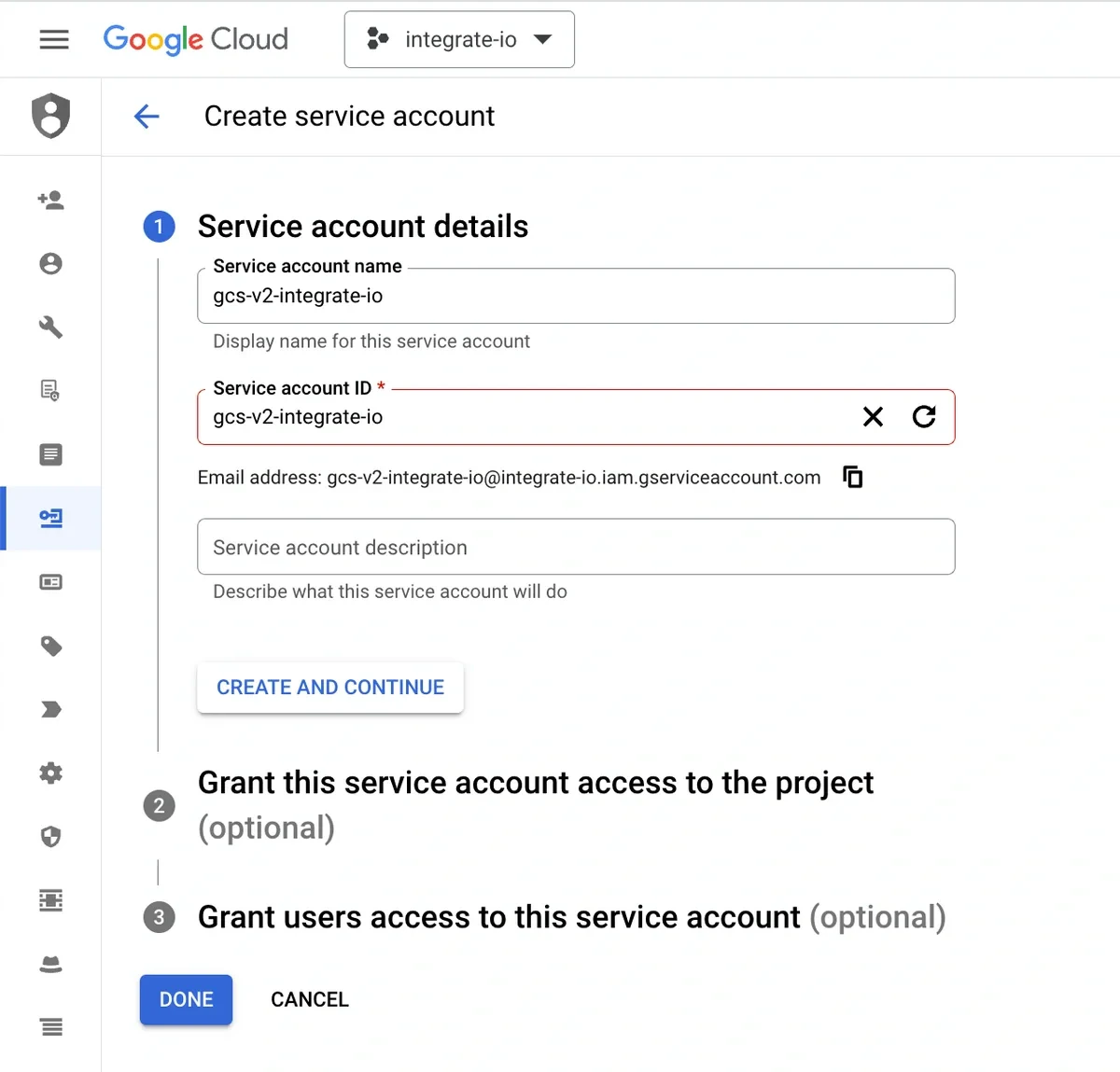
4
Click the newly created service account and navigate to Keys.
5
Generate a JSON key via Add Key -> Create New Key -> JSON -> Create.
6
We will upload this JSON key later on Integrate.io ETL when creating the connection.
Grant Access to Cloud Storage Bucket
1
Access your Google Cloud Storage and click the relevant bucket.
2
Under Permissions section, click Grant Access.
3
Input the service account email we created from the previous section under New Principals field.
4
For Read-only, select the following roles: Storage Legacy Bucket Reader and Storage Legacy Object Reader.
5
For Write access, select the following roles: Storage Legacy Bucket Writer and Storage Legacy Object Reader.
6
Click Save.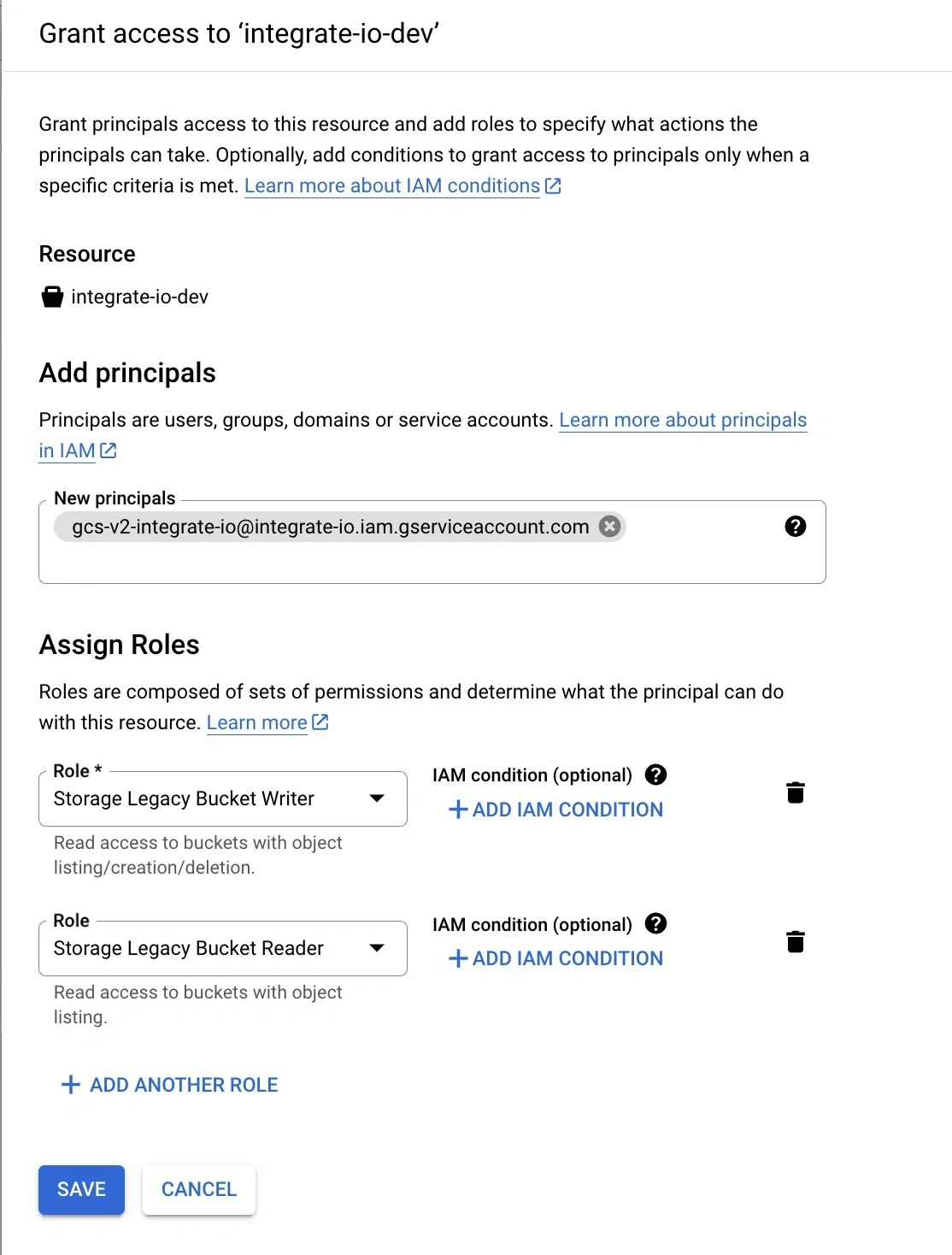
Create a Google Cloud Storage connection in Integrate.io ETL
1
Click the Connections icon (lightning bolt) on the top left menu.
2
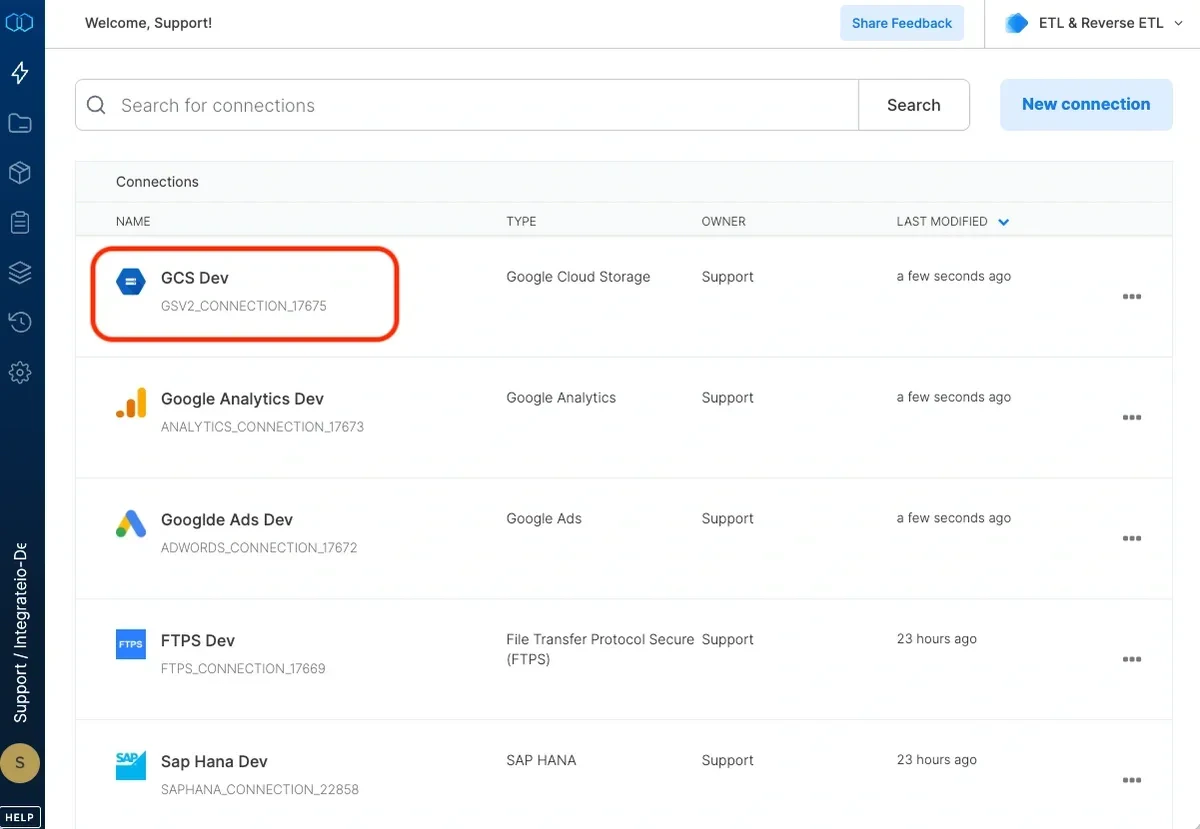
To create a connection, click New connection.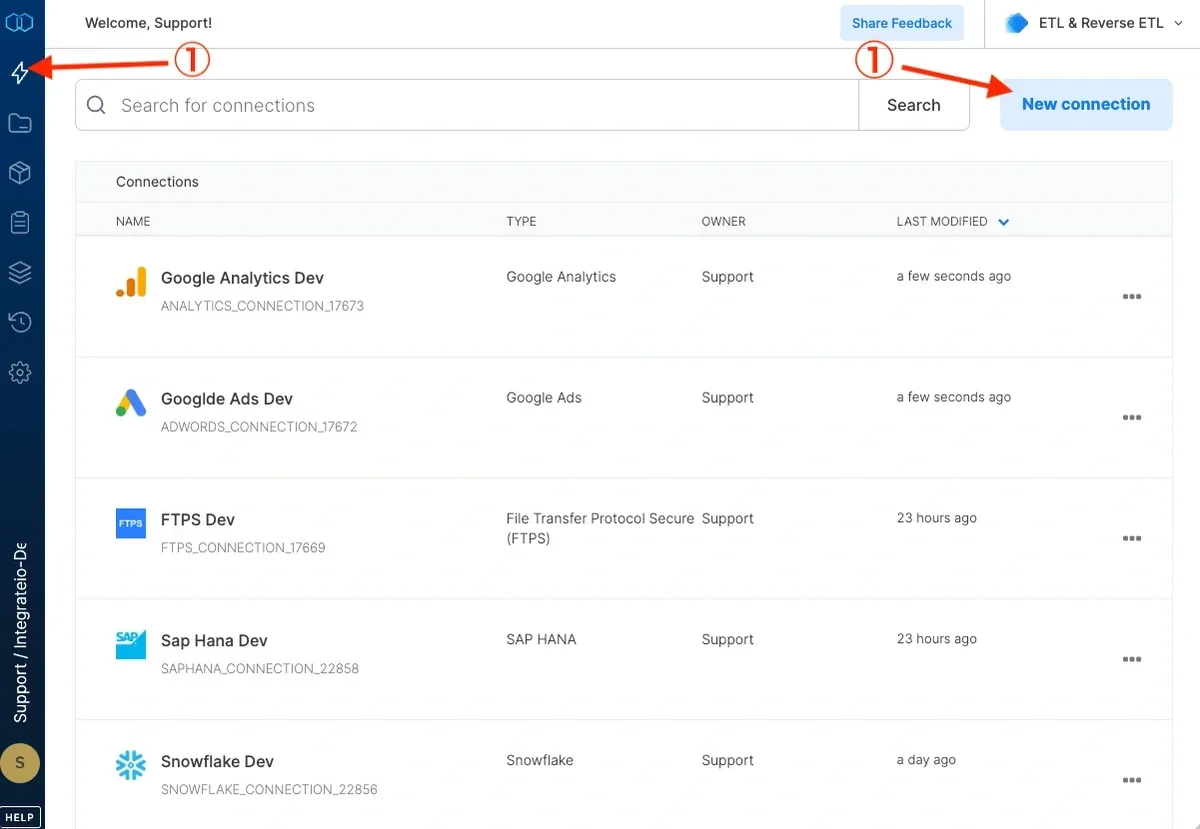
3
Select Google Cloud Storage.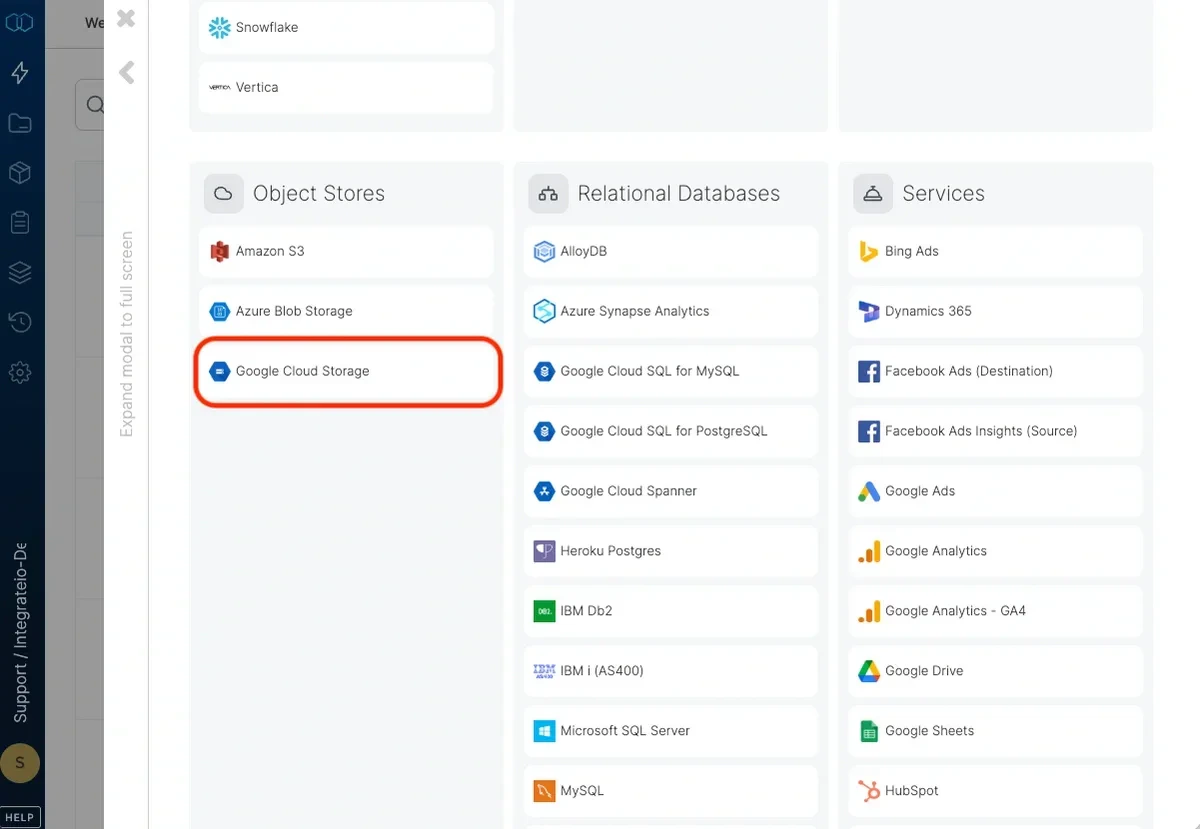
4
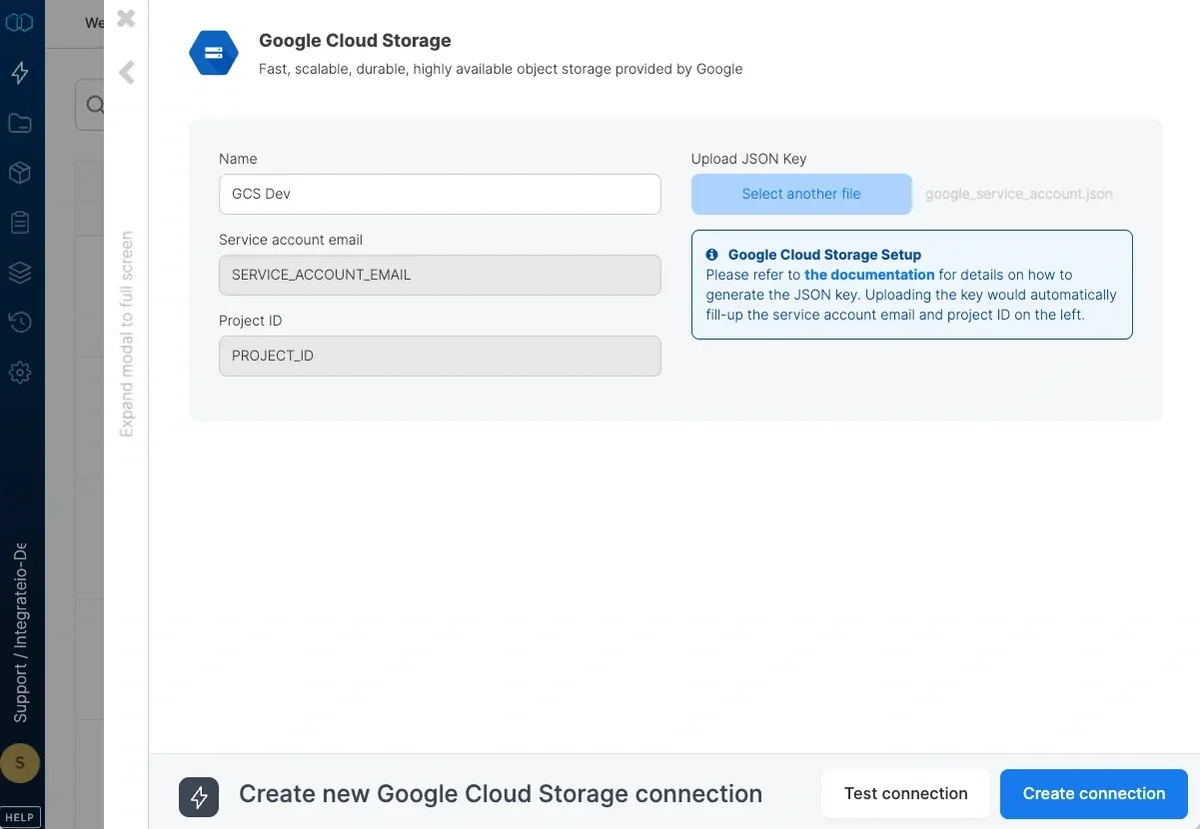
Name the connection. Upload JSON key.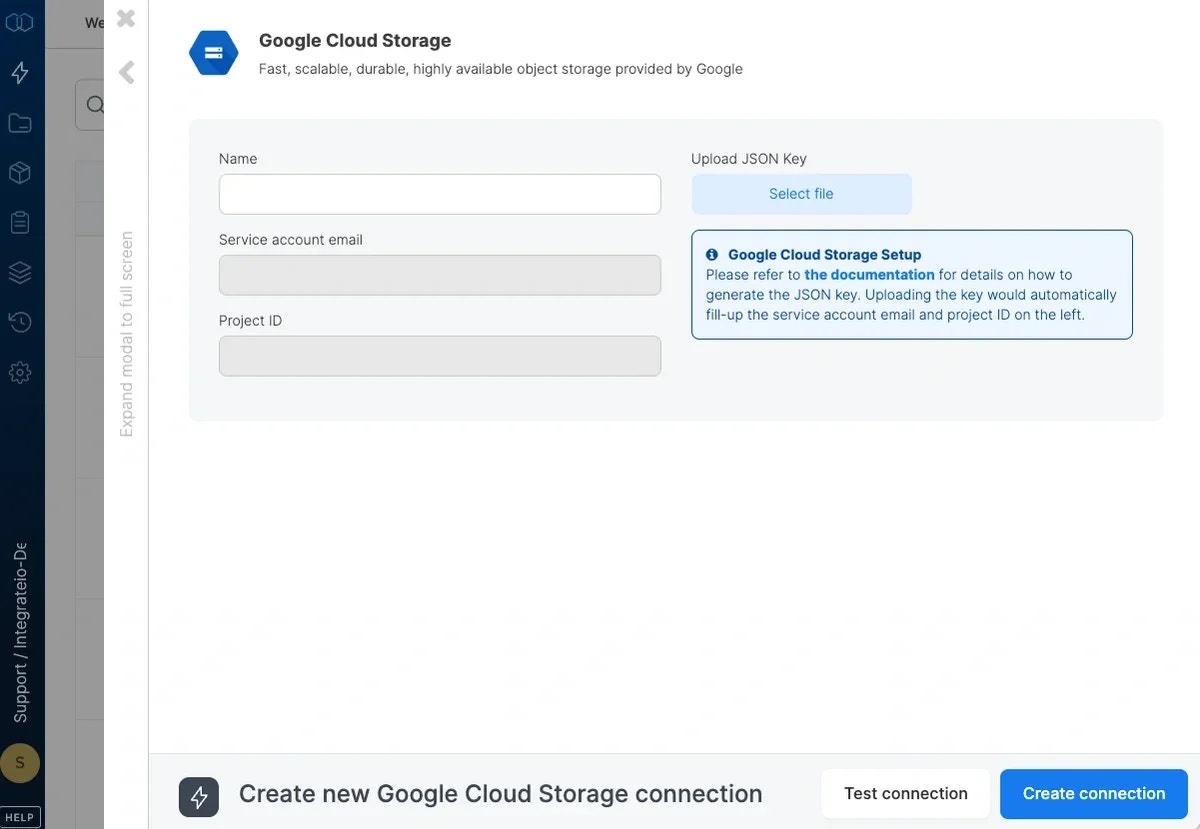
5
Click Test Connection to make sure the connection details are correct.
6
Click Create connection to create the connection.