

To create a TiktokAds Insights connection in Integrate.io ETL:
1
Click the Connections icon (lightning bolt) on the top left menu.
2
To create a connection, click New connection.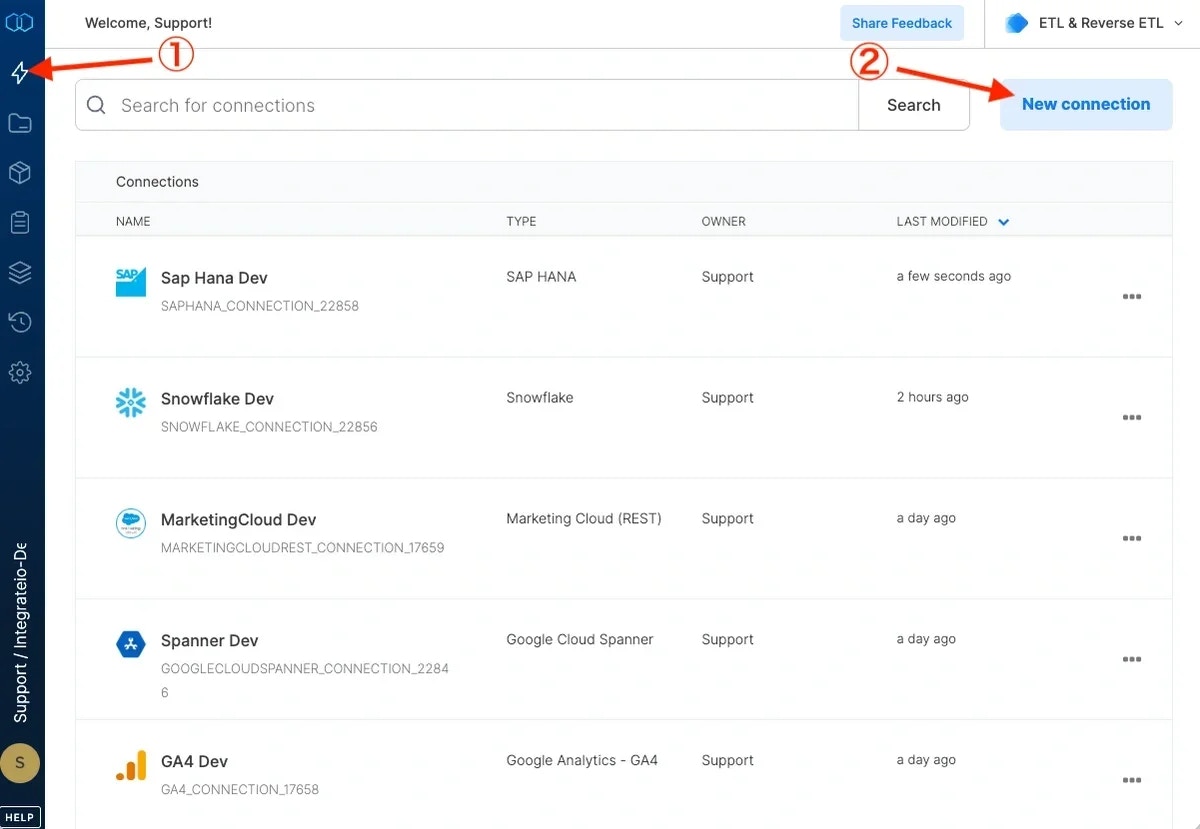
3
Select TiktokAds.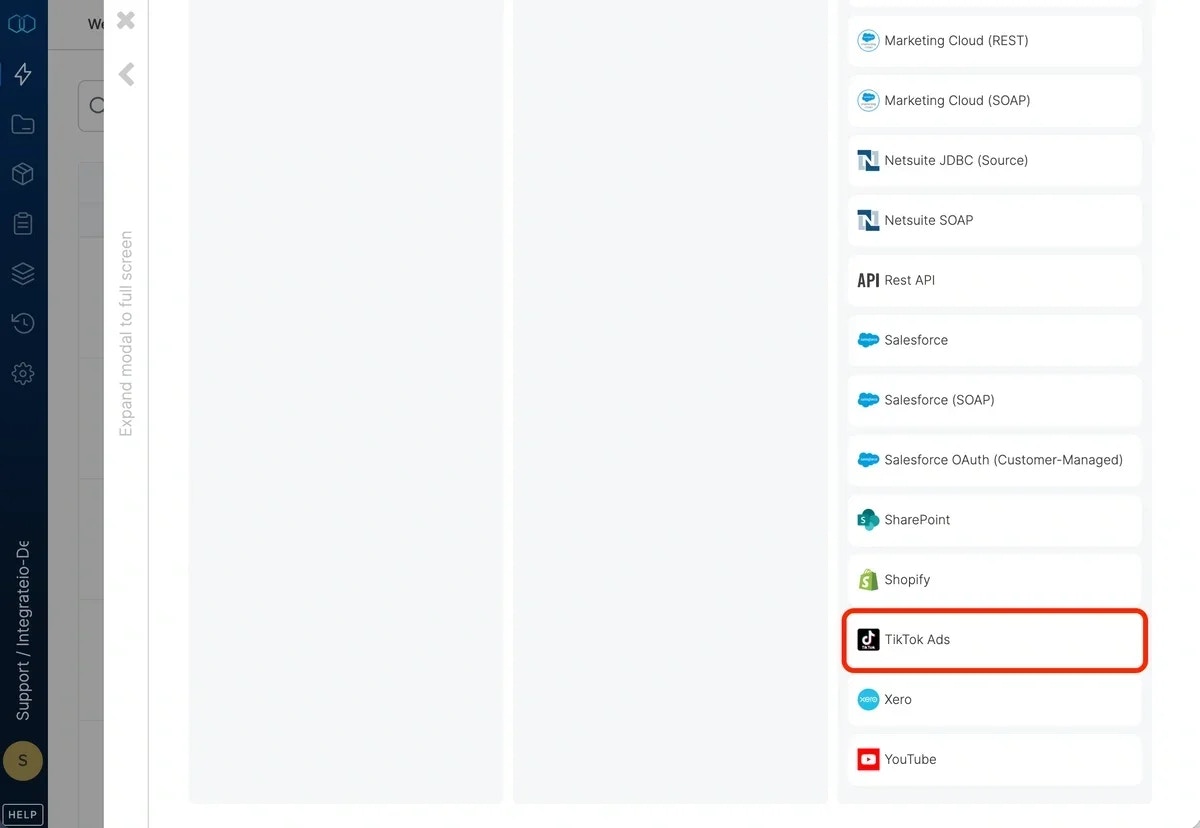
4
Click Authenticate. You will be redirected to Tiktok business account in order to grant Integrate.io ETL’s Tiktok application access to your ad accounts on your behalf.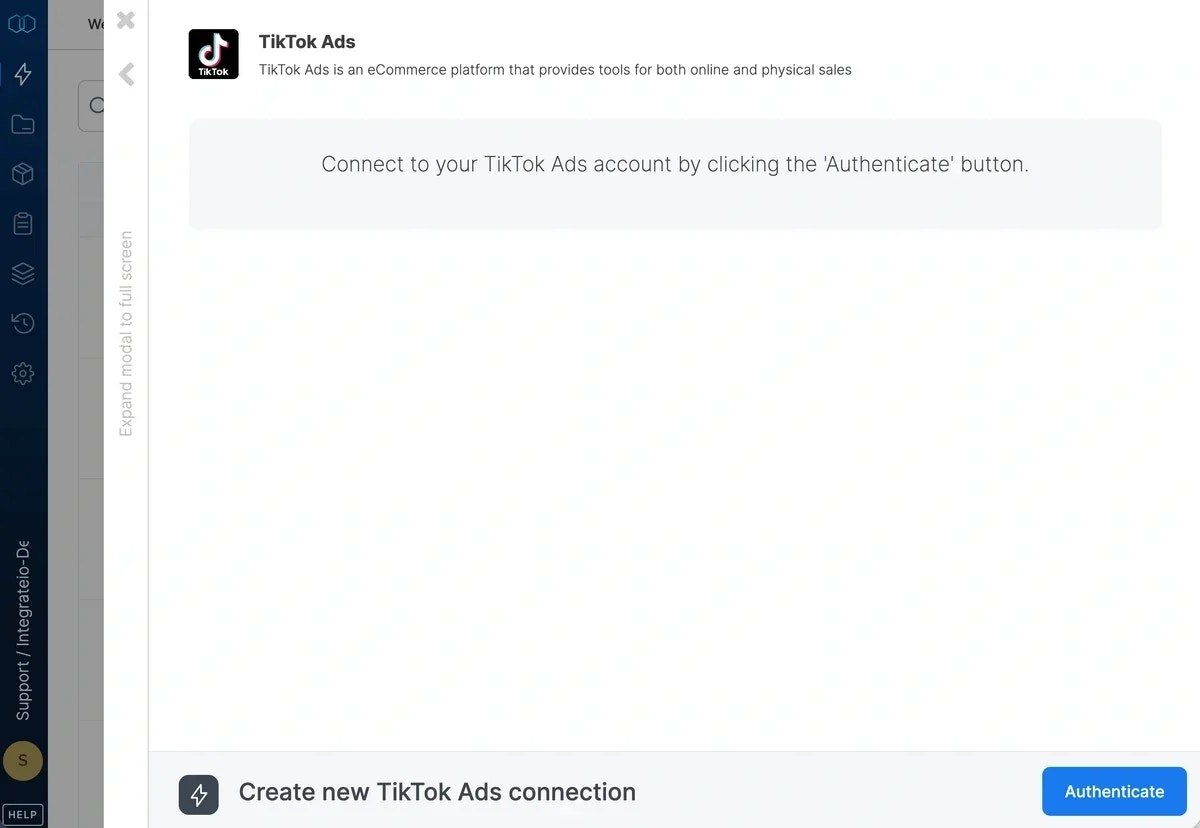
5
You may need to login in advance before Tiktok asks you to allow Integrate.io ETL access to your TiktokAds and related stats. Click OK.
6
In the new TiktokAds connection window, name the connection and click Create TiktokAds connection.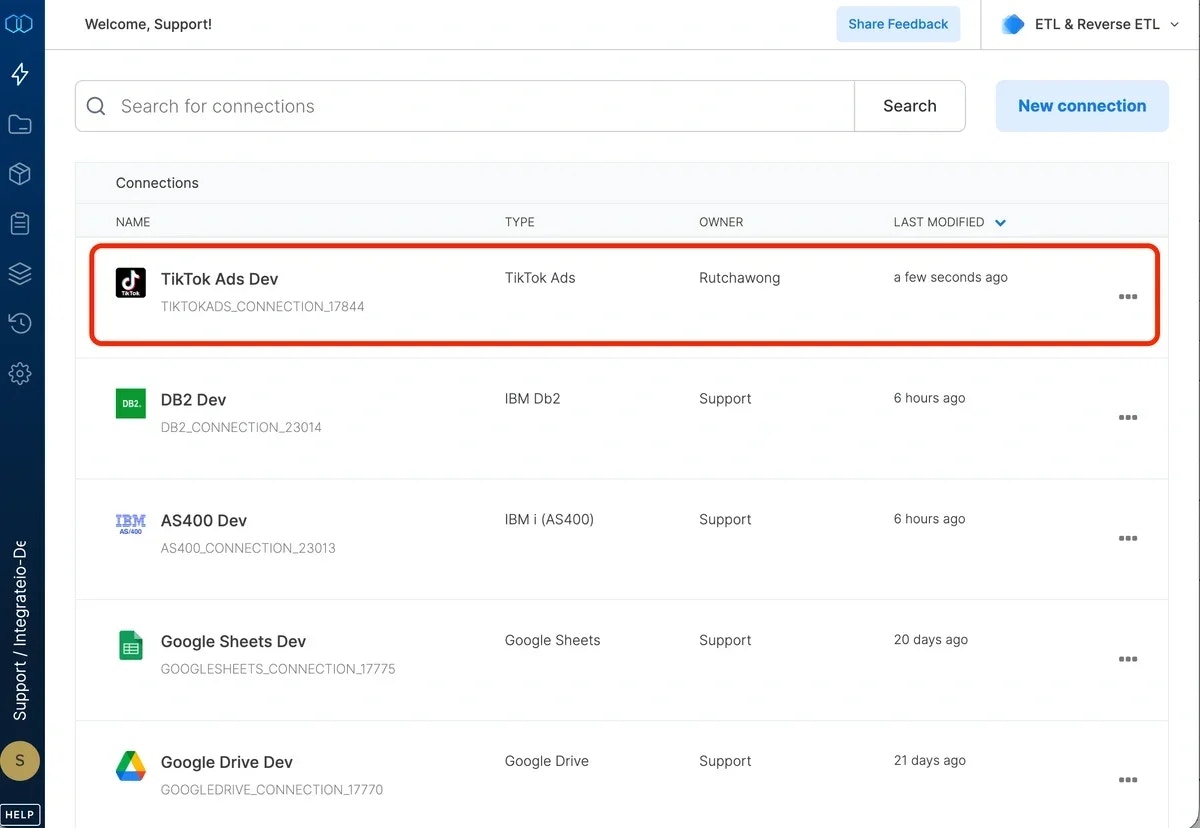
To modify TiktokAds Insights connections in Integrate.io ETL:
1
Click the Connections icon (lightning bolt) on the top left menu.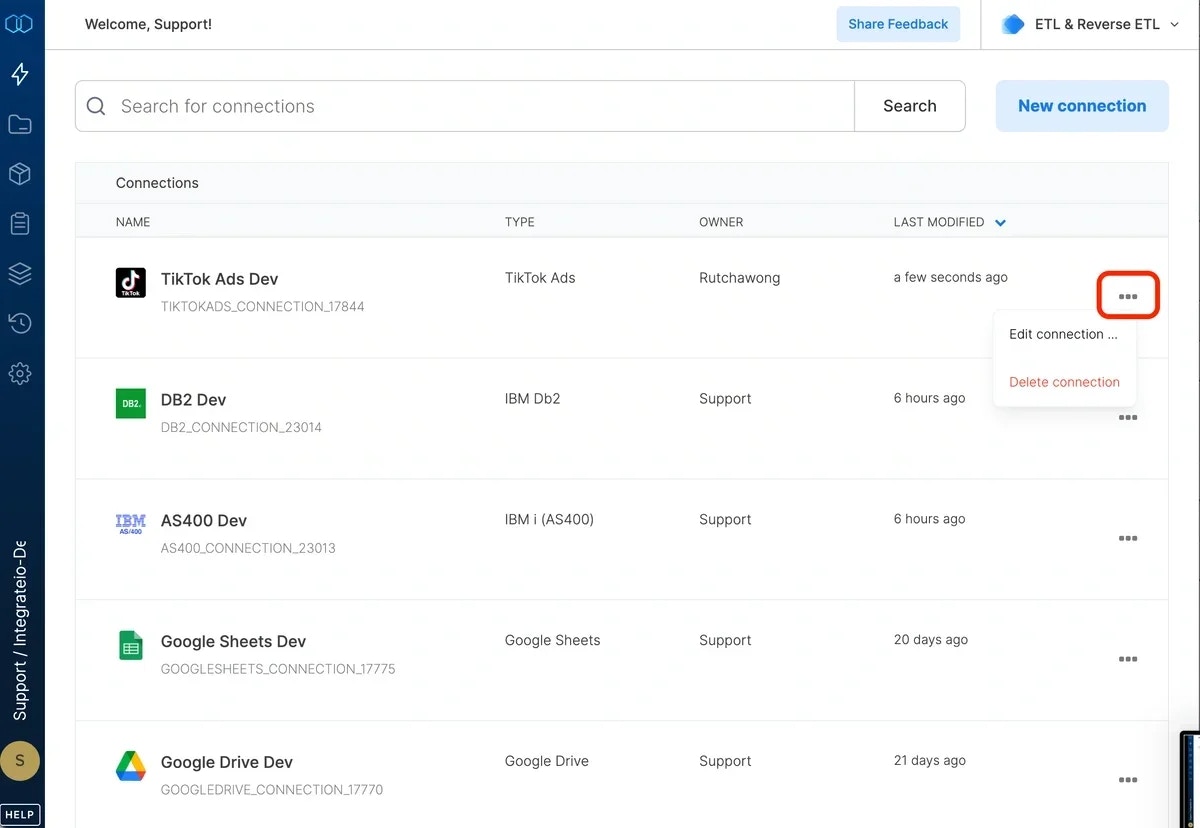
2
Click a connection to open and modify it. Make any necessary changes, then click Reconnect, and Save changes. To exit the TiktokAds connection window without changes, click Back to connections (grey tab on the left side) on the TiktokAds connection window.
3
To delete a TiktokAds connection, click the three vertical dots on the far right of the connection listing and select the Delete connection option.
NOTE:You may need to reconnect to TiktokAds periodically.