To allow Integrate.io ETL access to Amazon Athena
- Create an IAM user in AWS.
- Attach the
AmazonAthenaFullAccesspolicy to the user. - Create security credentials for the user and save them for later use when defining the connection in Integrate.io ETL.
To define a connection in Integrate.io ETL to Amazon Athena
1
Click the Connections icon (lightning bolt) on the top left menu.
2
To create a connection, click New connection.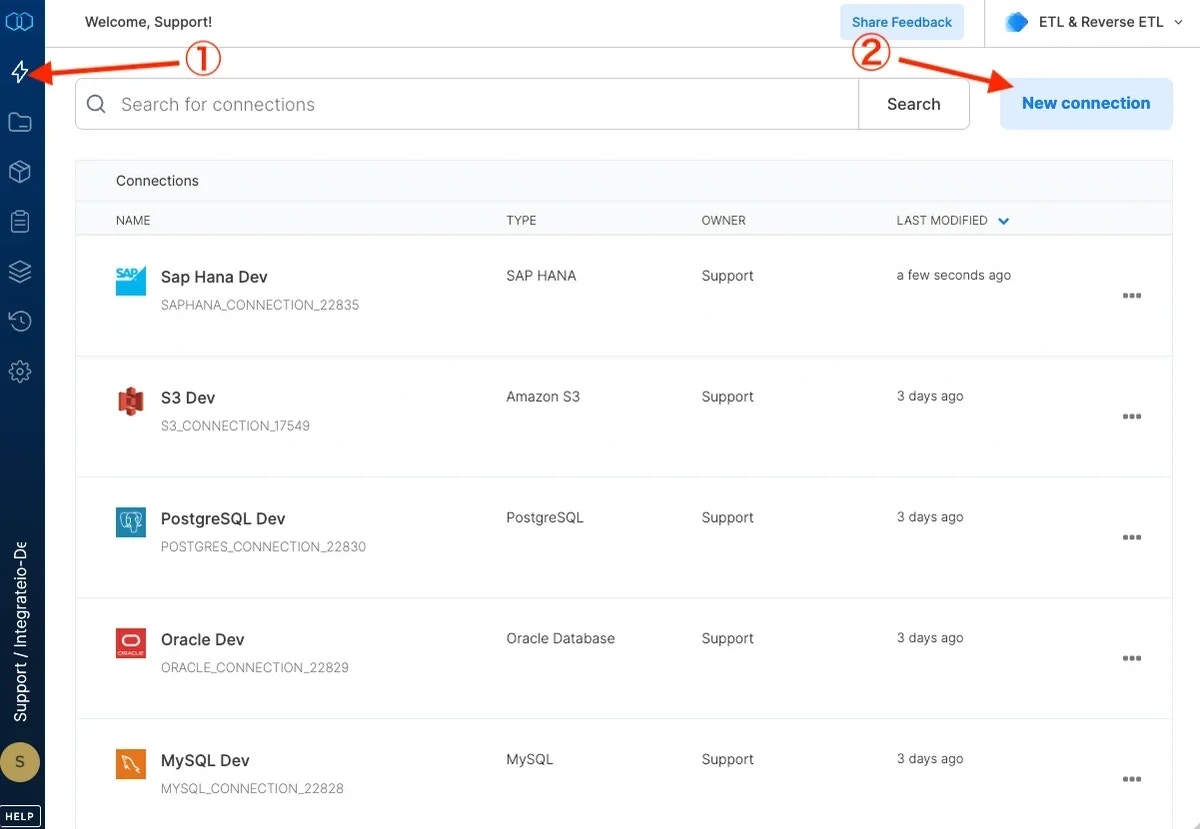
3
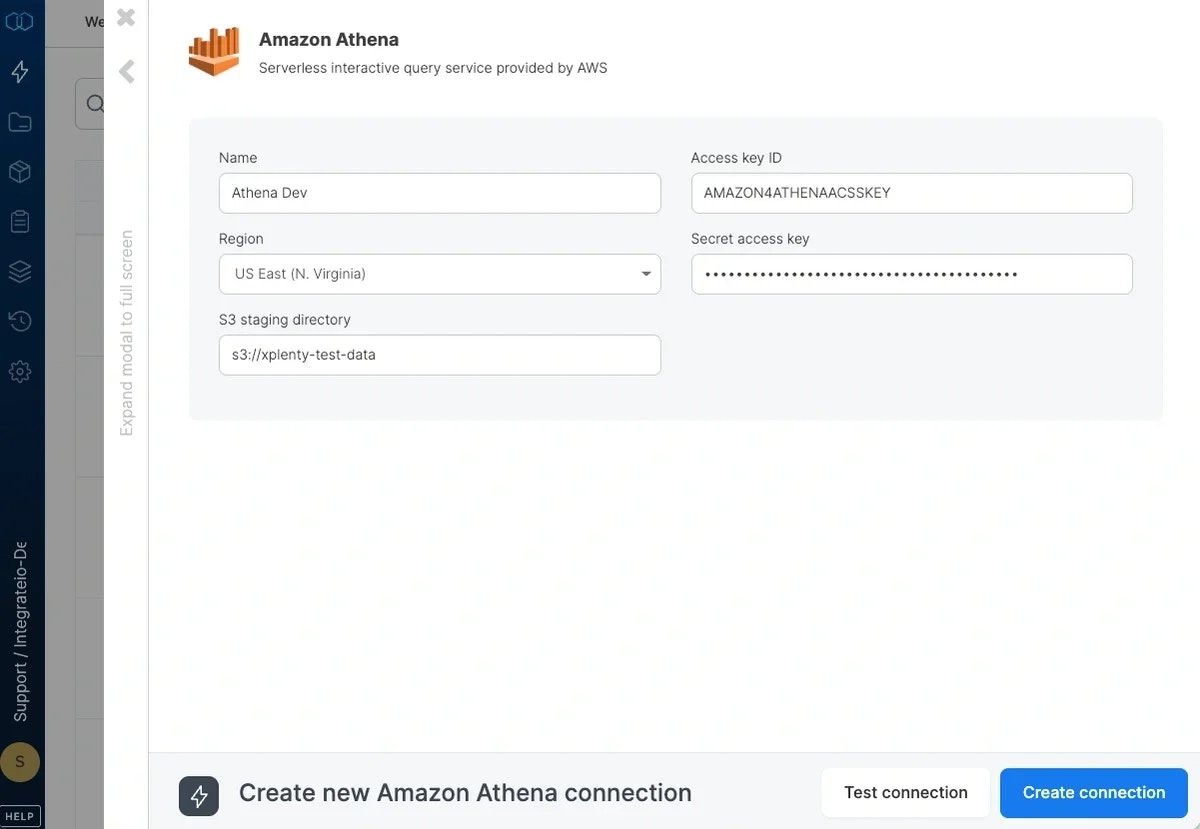
Select Amazon Athena and name the connection.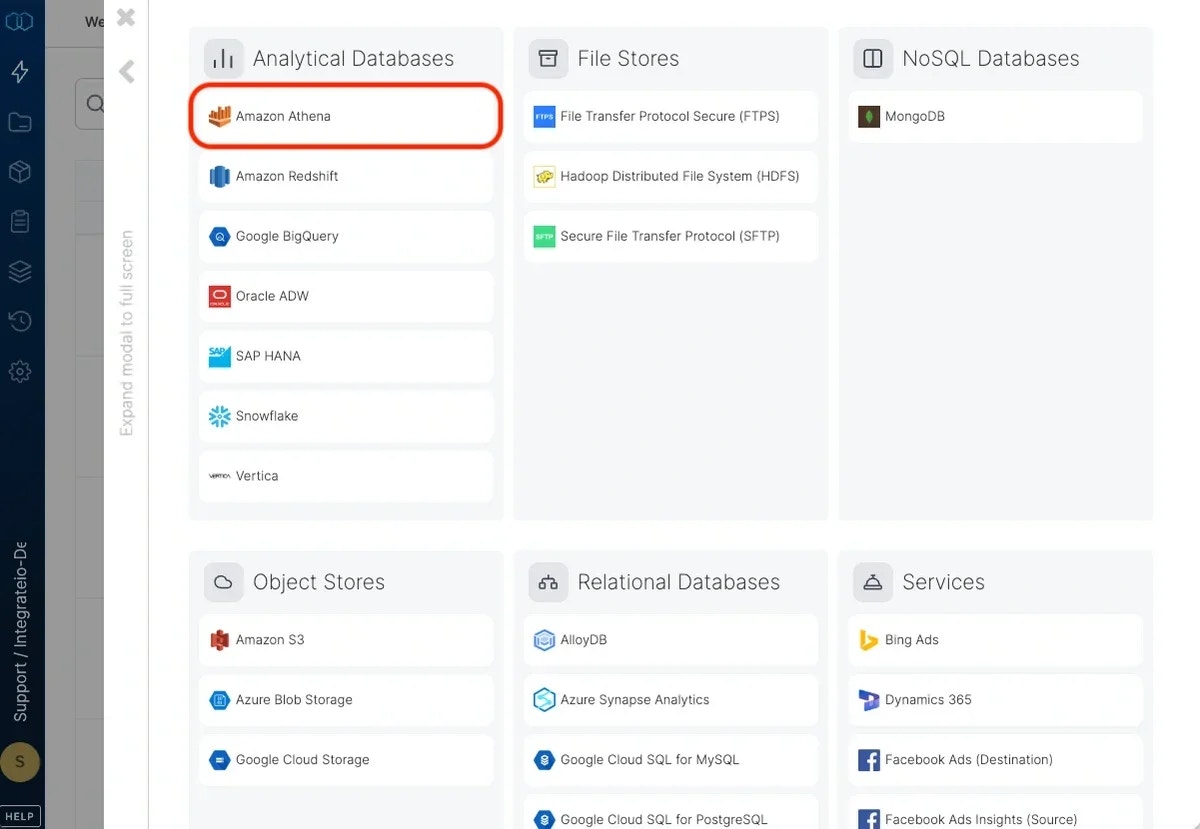
4
Select AWS region.
5
Type in the S3 staging directory to use with Athena in the form
s3://bucket/path. Note that the bucket should be in the same region you selected above.6
Enter the default database to use. If you leave it empty, the user’s default database will be used.
7
Fill out the IAM access key and secret.
8
Click Test connection. If the credentials are correct, a message that the connection test was successful appears.
9
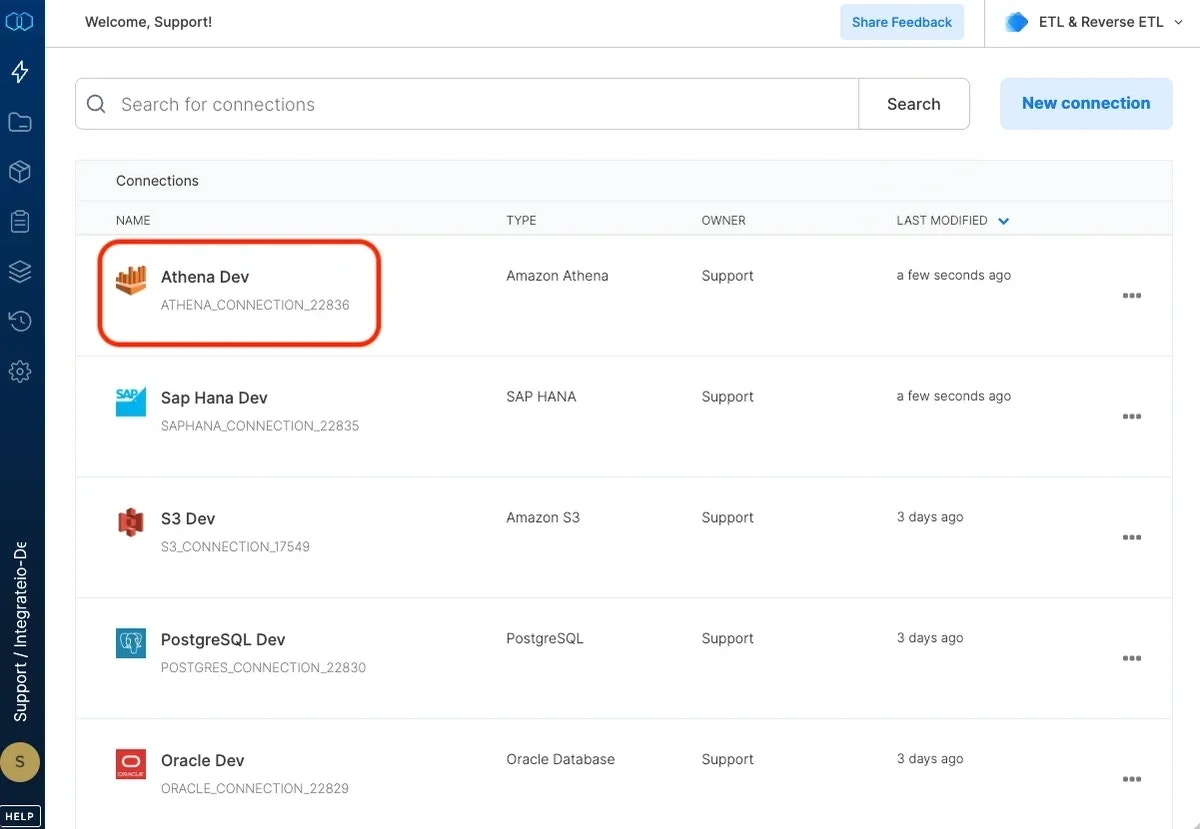
Click Create connection.