> ## Documentation Index
> Fetch the complete documentation index at: https://www.integrate.io/docs/llms.txt
> Use this file to discover all available pages before exploring further.
# ETL: Window Transformation
> Use the Window transformation to apply SQL-style window functions like ranking, moving averages, and running totals to your ETL pipeline data.
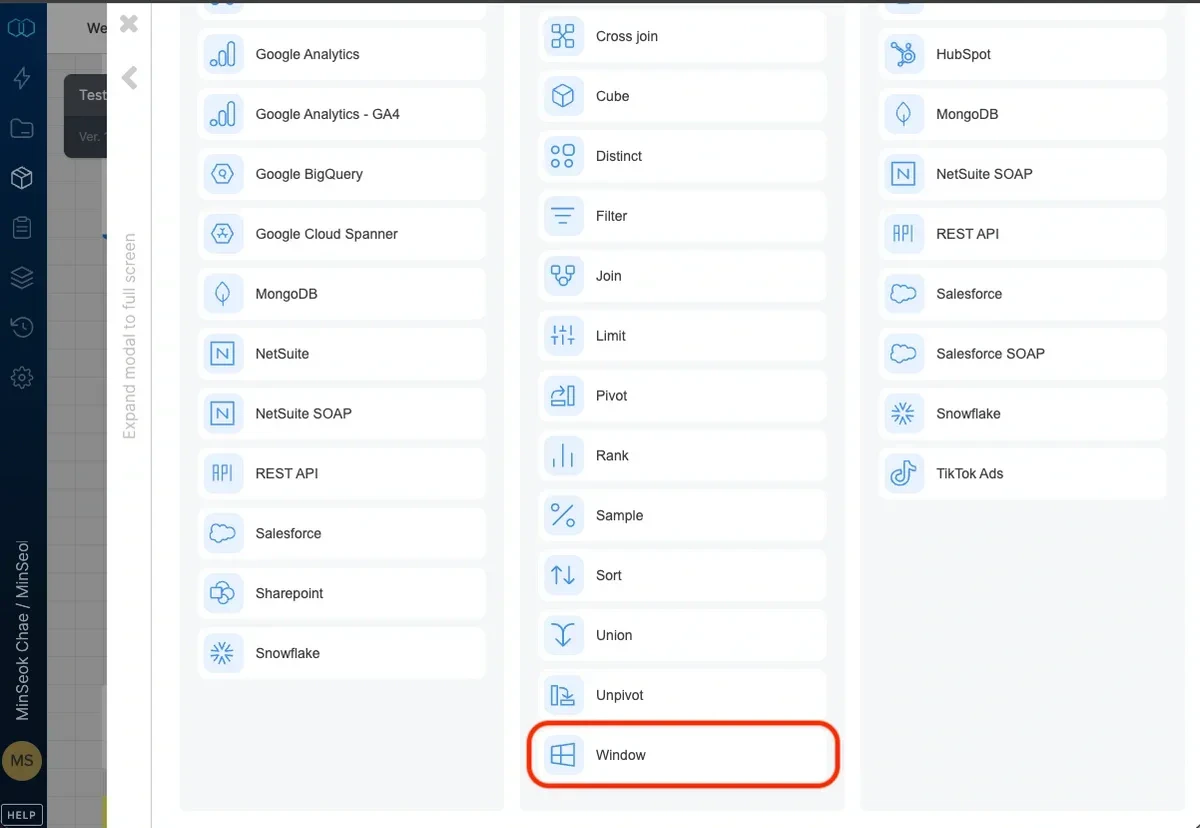
 ## Data partitioning
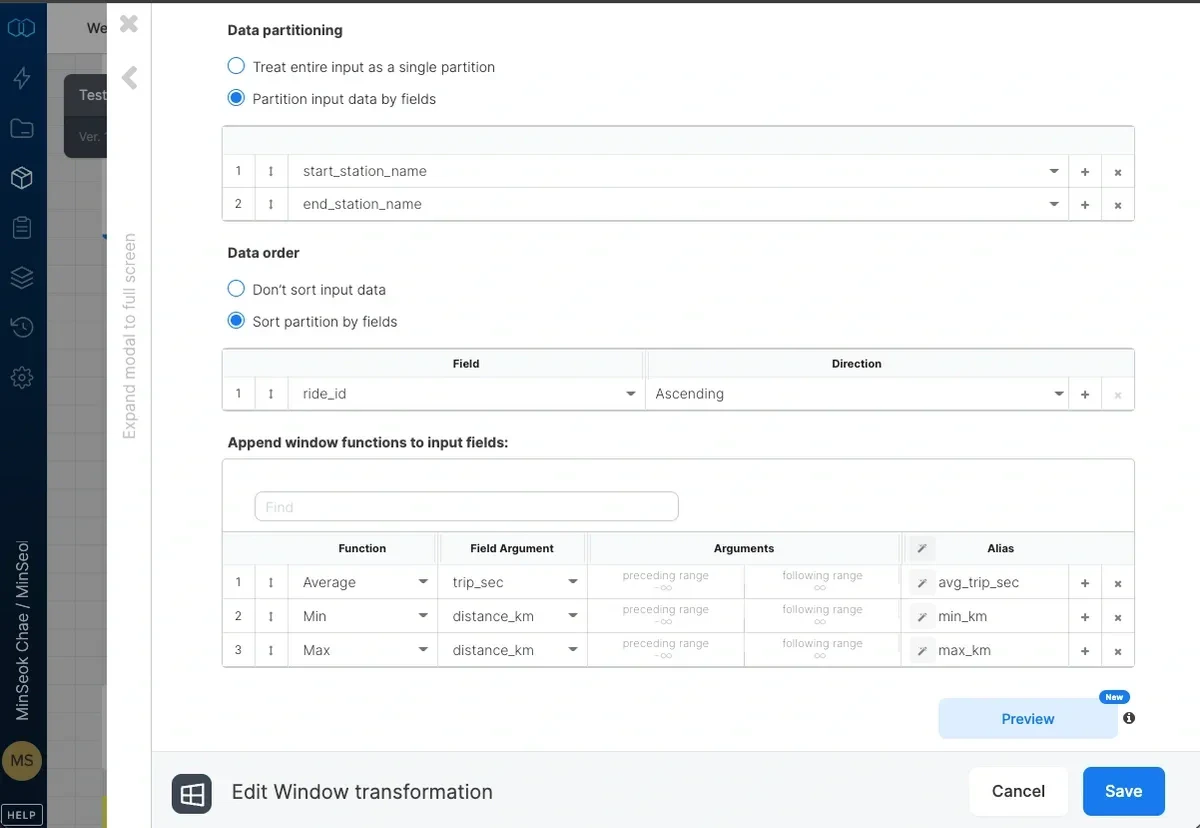
Select `Treat entire input as a single partition` to treat the entire dataset as a single window or `Partition input data by fields` to determine the partitioning of the incoming dataset to windows. Each partition contains of all the records that have the same values in the partitioning fields.
Select a field in the dropdown list.
Click the **+** button to add another partitioning field.
Click the **X** button to remove a field from the **partition by** list.
## Data order
Select `Don’t sort input data` if you do not want to sort input data, or `Sort partition by fields` to add fields that determine the sorting of the data within a window. Sorting is optional but recommended for many windowing functions, since order-dependent results like "first" or "last" require a defined sort order.
Select a field in the dropdown list.
Specify sort order - ascending or descending.
Click the **+** button to add another sorting field.
Click the **X** button to remove a field from the **sort by** list.
When you select `Treat entire input as a single partition` and `Don’t sort input data`, the Window component preserves input row order in its output. Order-sensitive functions such as **Lead**, **Lag**, **First Value**, **Last Value**, and **Row number** evaluate against the original input order, and the records leave the component in that same order. If you need a different order, use `Sort partition by fields` to set it explicitly.
For partitioned windows (`Partition input data by fields`) without an explicit sort, record order within a partition remains undefined. Add `Sort partition by fields` when an order-sensitive function depends on it.
## Window functions
Select the functions to apply to the window and fill in their arguments.
Select **function** from the dropdown (see list below).
Fill in the field and arguments.
Type an alias for the field containing the resulting value.
Click the **+** button to add another function.
Click the **X** button to remove a function.
## Functions list
* **Count** - returns the number of non-null values in a field within a window range (see range arguments below).
* **Sum** - returns the sum of values in a numeric field within a window range. For example, use frame between -∞ and 0 for a running total.
* **Average** - returns the average of values in a numeric field within a window range. For example, use frame between -2 and 2 for a moving average on 5 values.
* **Min** - returns the minimum value in a field within a window range.
* **Max** - returns the maximum value in a field within a window range.
* **First Value** - returns the first value in a field within a window range. Make sure the window is sorted.
* **Last Value** - returns the last value in a field within a window range. Make sure the window is sorted.
* **Lead** - returns the value from a field in a subsequent record within the window range. The location of the subsequent record (relative to the current record) is defined by the **offset** argument. The **default** argument is returned if the lead record can't be found (for example, when the current record is at the end of the window range). Example: use offset of 1 to get the value from a field in the next record.
* **Lag** - returns the value from a field in a preceding record within the window range. The location of the preceding record (relative to the current record) is defined by the **offset** argument. The **default** argument is returned if the lag record can't be found (for example, when the current record is at the beginning of the window range). Example: use offset of 1 to get the value from a field in the previous record.
* **Row number** - returns a sequential number for each record within a window range according to the window's ordering.
* **NTILE** - distributes the records within a window range into a specified number of buckets set by the argument **number of ntiles**. For example, use NTILE on data partitioned by class and sorted by grades to divide each class into 4 groups of students according to their grades.
### Range arguments
Per function, the range arguments further limit the records within the window. The range is relative to the current record and is defined by the number of records preceding the current record and the number of records following the current record. The default values are -∞ ("unbounded preceding" in SQL terminology) and +∞ ("unbounded following"). 0 stands for the current record.
Other examples:
* "-2" in **range before** means 2 records preceding the current record are the lower boundary for the function.
* "5" in **range after** means 5 records after the current record are the upper boundary for
## Data partitioning
Select `Treat entire input as a single partition` to treat the entire dataset as a single window or `Partition input data by fields` to determine the partitioning of the incoming dataset to windows. Each partition contains of all the records that have the same values in the partitioning fields.
Select a field in the dropdown list.
Click the **+** button to add another partitioning field.
Click the **X** button to remove a field from the **partition by** list.
## Data order
Select `Don’t sort input data` if you do not want to sort input data, or `Sort partition by fields` to add fields that determine the sorting of the data within a window. Sorting is optional but recommended for many windowing functions, since order-dependent results like "first" or "last" require a defined sort order.
Select a field in the dropdown list.
Specify sort order - ascending or descending.
Click the **+** button to add another sorting field.
Click the **X** button to remove a field from the **sort by** list.
When you select `Treat entire input as a single partition` and `Don’t sort input data`, the Window component preserves input row order in its output. Order-sensitive functions such as **Lead**, **Lag**, **First Value**, **Last Value**, and **Row number** evaluate against the original input order, and the records leave the component in that same order. If you need a different order, use `Sort partition by fields` to set it explicitly.
For partitioned windows (`Partition input data by fields`) without an explicit sort, record order within a partition remains undefined. Add `Sort partition by fields` when an order-sensitive function depends on it.
## Window functions
Select the functions to apply to the window and fill in their arguments.
Select **function** from the dropdown (see list below).
Fill in the field and arguments.
Type an alias for the field containing the resulting value.
Click the **+** button to add another function.
Click the **X** button to remove a function.
## Functions list
* **Count** - returns the number of non-null values in a field within a window range (see range arguments below).
* **Sum** - returns the sum of values in a numeric field within a window range. For example, use frame between -∞ and 0 for a running total.
* **Average** - returns the average of values in a numeric field within a window range. For example, use frame between -2 and 2 for a moving average on 5 values.
* **Min** - returns the minimum value in a field within a window range.
* **Max** - returns the maximum value in a field within a window range.
* **First Value** - returns the first value in a field within a window range. Make sure the window is sorted.
* **Last Value** - returns the last value in a field within a window range. Make sure the window is sorted.
* **Lead** - returns the value from a field in a subsequent record within the window range. The location of the subsequent record (relative to the current record) is defined by the **offset** argument. The **default** argument is returned if the lead record can't be found (for example, when the current record is at the end of the window range). Example: use offset of 1 to get the value from a field in the next record.
* **Lag** - returns the value from a field in a preceding record within the window range. The location of the preceding record (relative to the current record) is defined by the **offset** argument. The **default** argument is returned if the lag record can't be found (for example, when the current record is at the beginning of the window range). Example: use offset of 1 to get the value from a field in the previous record.
* **Row number** - returns a sequential number for each record within a window range according to the window's ordering.
* **NTILE** - distributes the records within a window range into a specified number of buckets set by the argument **number of ntiles**. For example, use NTILE on data partitioned by class and sorted by grades to divide each class into 4 groups of students according to their grades.
### Range arguments
Per function, the range arguments further limit the records within the window. The range is relative to the current record and is defined by the number of records preceding the current record and the number of records following the current record. The default values are -∞ ("unbounded preceding" in SQL terminology) and +∞ ("unbounded following"). 0 stands for the current record.
Other examples:
* "-2" in **range before** means 2 records preceding the current record are the lower boundary for the function.
* "5" in **range after** means 5 records after the current record are the upper boundary for